The functionality described in this article requires Mailchimp for WordPress Premium version 4.8 or later.
User Sync is one of the premium features of Mailchimp for WordPress. It allows you to keep WordPress user profile data in sync with a selected Mailchimp audience.
If a user updates their profile in WordPress, the changes are automatically synchronized with the matching subscriber in Mailchimp.
What Mailchimp User Sync does
Mailchimp User Sync keeps subscriber data consistent between WordPress and Mailchimp without manual exports, imports or cleanup work.
- Automatically synchronize changes in a WordPress user with Mailchimp, like when a user’s email address, name or role changes.
- Synchronize all of your existing WordPress users with the Mailchimp list manually, or only those matching a specific role.
- Use WP CLI commands to synchronize thousands of users at once.
- Update interest groups of the subscriber in Mailchimp depending on user meta fields.
- Update the WordPress user when someone updates their profile in Mailchimp (two-way synchronizing).
What Mailchimp User Sync does not do
User Sync does not automatically subscribe or unsubscribe WordPress users in Mailchimp. It only updates the matching subscriber if a subscriber with that email address already exists in the selected Mailchimp audience.
If you want to subscribe users to Mailchimp, use one of our available sign-up integrations or a Mailchimp for WordPress sign-up form.
Sync existing WordPress users
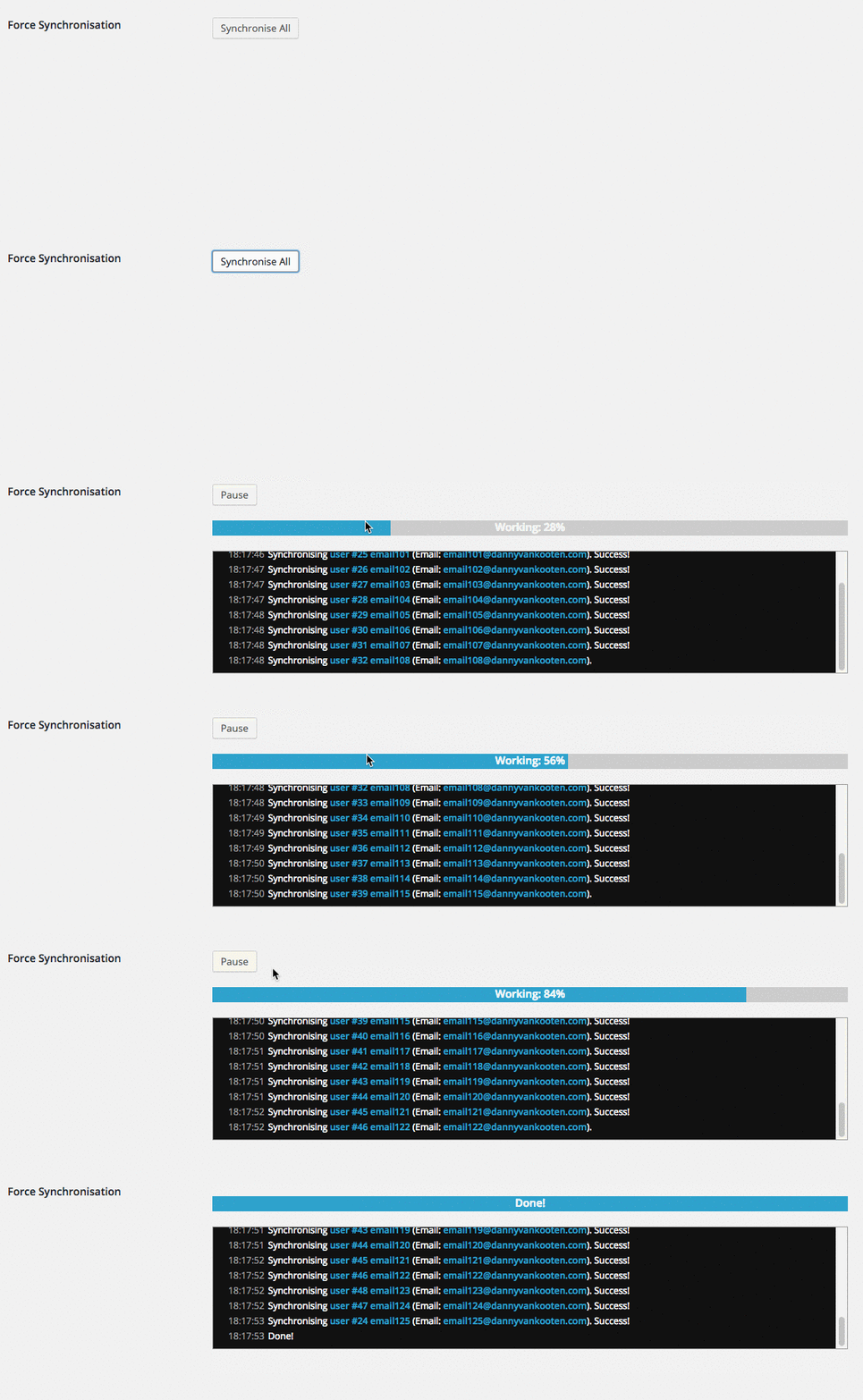
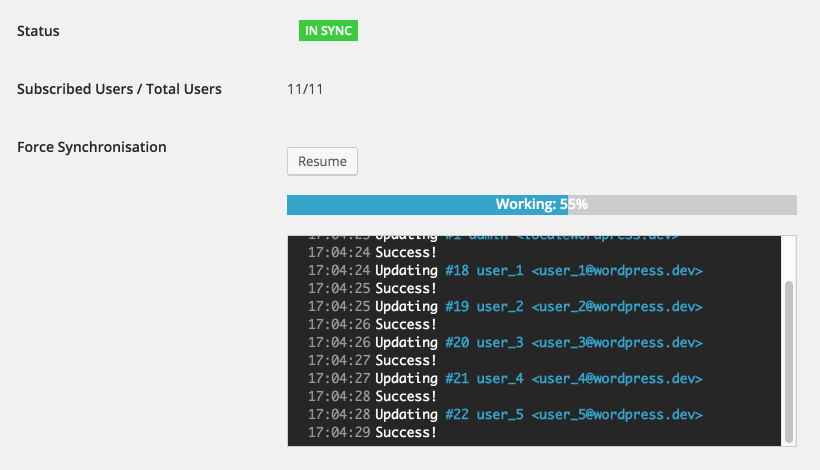
After choosing an audience and saving your settings, a status overview appears at the bottom of the page. There, you can synchronize all existing WordPress users matching the selected role.
If you have a very large user base, use the WP-CLI commands for Mailchimp User Sync to process users faster and more reliably.
Configuring User Sync
After installing and activating Mailchimp for WordPress Premium, go to MC4WP > User Sync in your WordPress admin. This settings page lets you choose what WordPress user data should sync with Mailchimp.
- The Mailchimp audience to use
- Which user fields map to which Mailchimp fields
- Which WordPress user role to synchronize
- Whether changes in Mailchimp should sync back to WordPress
Automatically sync WordPress user changes
By default, the plugin synchronizes data whenever any of the following events happen:
- A new user is added to your site
- A user profile is updated
- A user is deleted from your site
Sync custom WordPress user fields to Mailchimp
By default, User Sync synchronizes the standard Mailchimp fields for email address, first name and last name. You can also sync custom WordPress user fields to Mailchimp by mapping user fields to Mailchimp audience fields.
For example, you can sync profile data such as a phone number, company name, membership level, user role or other data stored in user meta.
Two-way syncing between WordPress and Mailchimp
If you want to update WordPress user fields when a subscriber updates their profile in Mailchimp, enable the webhook setting.

Enabling this setting and saving your settings will automatically create a webhook in your Mailchimp list, so that changes are applied both ways.
Available in Mailchimp for WordPress Premium
Mailchimp User Sync is included in Mailchimp for WordPress Premium. It replaced the older standalone Mailchimp User Sync add-on and is now maintained as part of the Premium plugin.